
Key takeaways
- Who this page is for: anyone who wants to play Snow Rider 3D right now and then get better at it, with no prior experience with endless runners assumed, and nothing to install.
- Controls: three keys. Left and right arrows steer, the up arrow jumps.
- Goal: survive as long as possible. One collision ends the run.
- Currency: wrapped gift boxes, collected on the slope, spent in the sled shop.
- Sleds: 11 available, from free to 200 gifts, plus a "more coming soon" slot.
- Best on: a device with a keyboard. The game shows no on-screen steering buttons, even at phone width.
This page covers playing the game in a browser: controls, obstacles, the gift-and-sled economy, and the questions players ask most. It does not cover the game's origin or development history, because the available sources contradict one another.
How to play Snow Rider 3D
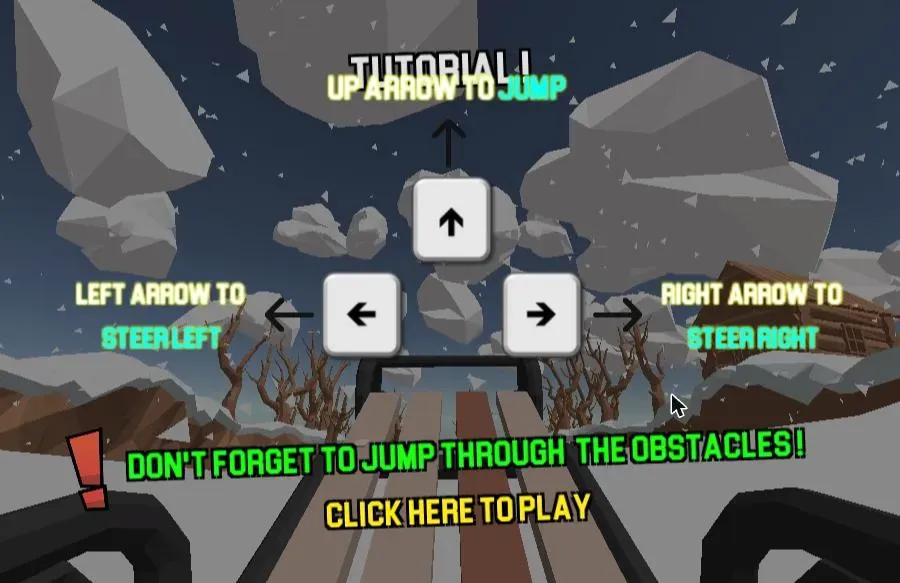
The game teaches you three keys in its own tutorial screen and then gets out of the way. Everything else is reaction time.
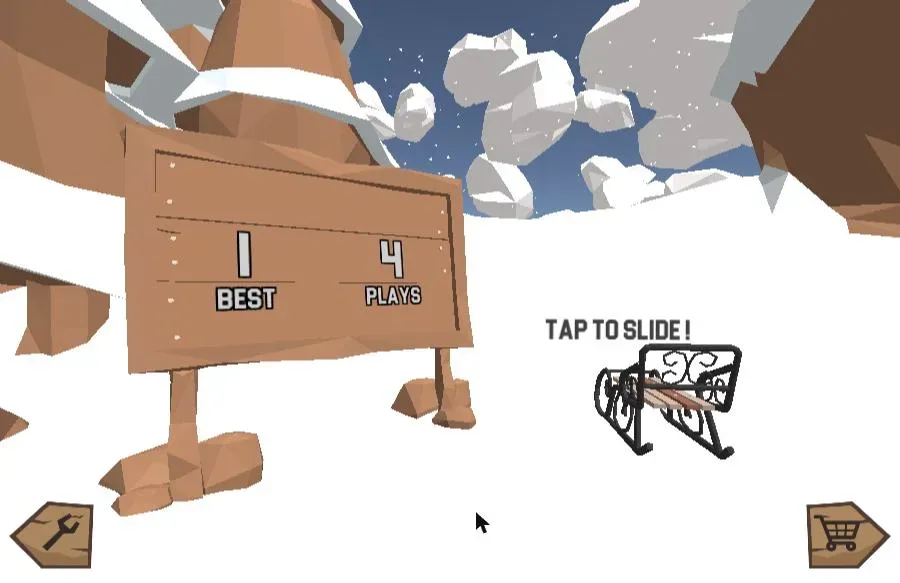
- Start the run. Tap the title screen, then pick the sled panel to slide. The wooden signpost on the menu tracks two numbers: your BEST score and your total PLAYS.
- Steer around obstacles. The left and right arrow keys move your sled across the slope. The sled never slows down, so steering early beats steering hard.
- Jump the gaps. The up arrow lifts you over fallen logs, low barriers, and the open breaks in the trail that would otherwise end the run.
- Collect the gift boxes. Wrapped gifts sit along the trail and feed the counter in the top-left corner. They are the game's only currency.
- Spend gifts on sleds. Open the shop from the cart icon on the menu and trade gifts for new sleds.
- Survive. Any collision ends the run immediately and the end screen shows your score, your best, and the gifts you banked that attempt.
Snow Rider 3D controls
Most pages about this game describe the controls in a sentence of prose. Here they are as a table, including what actually happens on a narrow phone-sized screen — which is the part nobody documents.
| Action | Key | Notes |
|---|---|---|
| Steer left | ← (Left Arrow) | Named in the game's own tutorial screen |
| Steer right | → (Right Arrow) | Named in the game's own tutorial screen |
| Jump | ↑ (Up Arrow) | Clears logs, barriers and gaps in the trail |
| Start a run | Click / tap | The prompts read "TAP TO START", then "TAP TO SLIDE" |
| Restart after a crash | Click / tap | End screen reads "TAP TO RESTART" |
| Open the shop | Click / tap the cart icon | Bottom-right of the menu screen |
A note on playing without a keyboard. This game is keyboard-first. We loaded it in a 430-pixel-wide browser window, roughly phone width, and it still displayed the same arrow-key tutorial, with no on-screen steering buttons anywhere. So on a device with no physical keyboard, the menu taps work — starting, restarting, opening the shop — but steering and jumping are built around the arrow keys. If you are choosing a device, a laptop or desktop is the one that matches how this game was designed.
What you are dodging
The trail generates as you descend, so no two runs are laid out the same way. What recurs is the cast of hazards:
- Trees: bare trunks and snow-covered evergreens, usually the first thing that ends an early run.
- Rocks and boulders: low-slung and easy to misjudge at speed.
- Wooden structures: cabins and fences at the edges of the trail.
- Gaps in the slope: open breaks you have to jump rather than steer around. These are what the up arrow is for.
The slope also narrows and widens. A stretch that felt generous a second ago can funnel you toward a single passable line, which is the game's main way of raising difficulty without ever making your sled harder to control.
Gifts and the sled shop
Gifts are the entire economy. You collect them on the slope, they accumulate across runs, and the shop converts them into sleds. Nothing else spends them.
Browsing the shop from the menu, the lineup runs as follows. The sled you start with is free, everything else carries a price in gifts:
| Sled | Cost (gifts) |
|---|---|
| Toboggan | Free, selected by default |
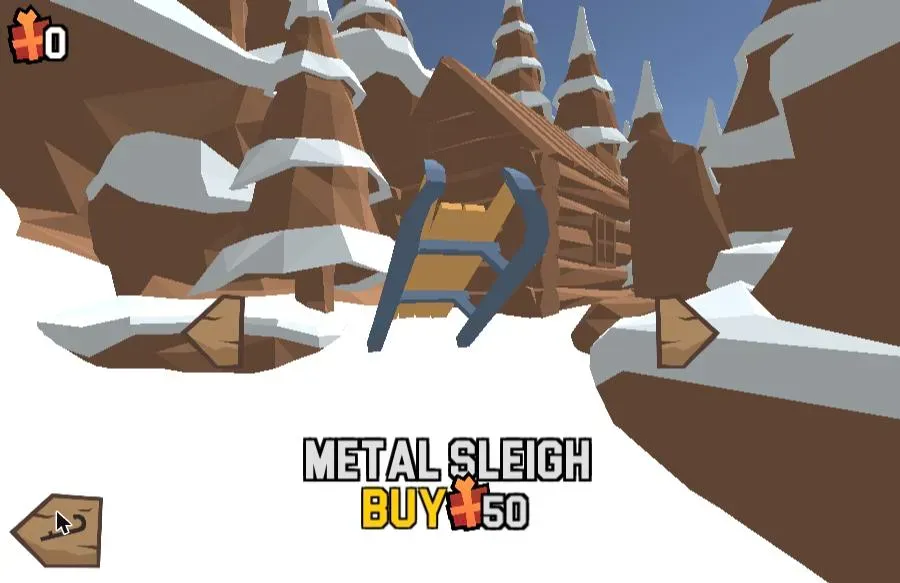
| Metal Sleigh | 50 |
| Plastic Sleigh | 50 |
| Eskimo Sleigh | 50 |
| Ancient Sleigh | 50 |
| Modern Sleigh | 50 |
| Evil Sleigh | 75 |
| Round Sleigh | 75 |
| Chroma Sleigh | 75 |
| Old Sleds | 95 |
| Santa Sleigh | 200 |
Past the last one the shop reads "MORE COMING SOON", so the lineup is not final.
We built this list on August 17, 2026 by opening the shop and stepping through it one sled at a time, reading each name and price off the panel, then browsing back through the whole lineup a second time to confirm the order. Every price above is what the shop displayed, not an estimate.
Two things are worth knowing before you start saving. First, the Santa Sleigh at 200 gifts costs more than twice the next-most-expensive sled — it is the long-term goal, not an early purchase. Second, the sleds are visual: a round plastic disc, a Victorian iron-framed toboggan, a bare wooden ladder of a sleigh. Picking one changes what you are looking at, not the physics you are steering.
Tips for a longer run
These come from repeated runs on August 17, 2026, enough attempts to see the same mistakes recur.
- Look far down the slope, not at your sled. The sled is always in the same place on screen; the information you need is at the top of the frame. Players who watch their own sled react roughly a sled-length too late.
- Hold the middle when the trail is wide. A center line gives you an escape route in both directions. Hugging one edge means half your options are already gone when something appears.
- Skip gifts that pull you off your line. A gift is worth 1 toward a 50-gift sled. A crash is worth the whole run. Take the ones on your path and let the rest go.
- Jump early rather than late. The jump has a travel arc, so committing a moment before the gap is safer than reacting at its edge.
- Treat the first ten runs as calibration. Scores climb slowly at first because the speed is unfamiliar, not because the game is unfair. Your best score is stored, so nothing you learn is lost.
Start your run
Snow Rider 3D rewards exactly one skill: reading the slope early enough to act on it. Three keys, one currency, eleven sleds. Set your line, take the gifts that come to you, and see how far past your last best you can get — the game is above, and it is ready when you are.